On most corridors a router's choice of road is easy to accept. Its choice of ferry usually is not, because the decision is commercial, not geometric. Heading from Germany or Poland to Sweden you have Puttgarden–Rødby, Rostock–Gedser, Rostock–Trelleborg, Travemünde–Trelleborg, Świnoujście–Ystad and Gdynia–Karlskrona to pick from. On the Channel there are the Dover ferries and the tunnel shuttle. To Ireland there are direct sailings from France that skip the UK land bridge entirely.
Which one is right depends on the rate you hold with the line, the departure that fits the driver's rest, and where deck space actually exists this week. The router knows none of that. It picks a crossing from generic costs, and until now correcting it meant planting via points on approach roads and hoping.
Now you correct it the same way you correct a road: drag the route.
Drag the route onto the ferry line
Plan the route normally. Ferry connections are drawn on the map as thin dashed lines across the water, so zoom out enough to see the alternatives on your corridor.
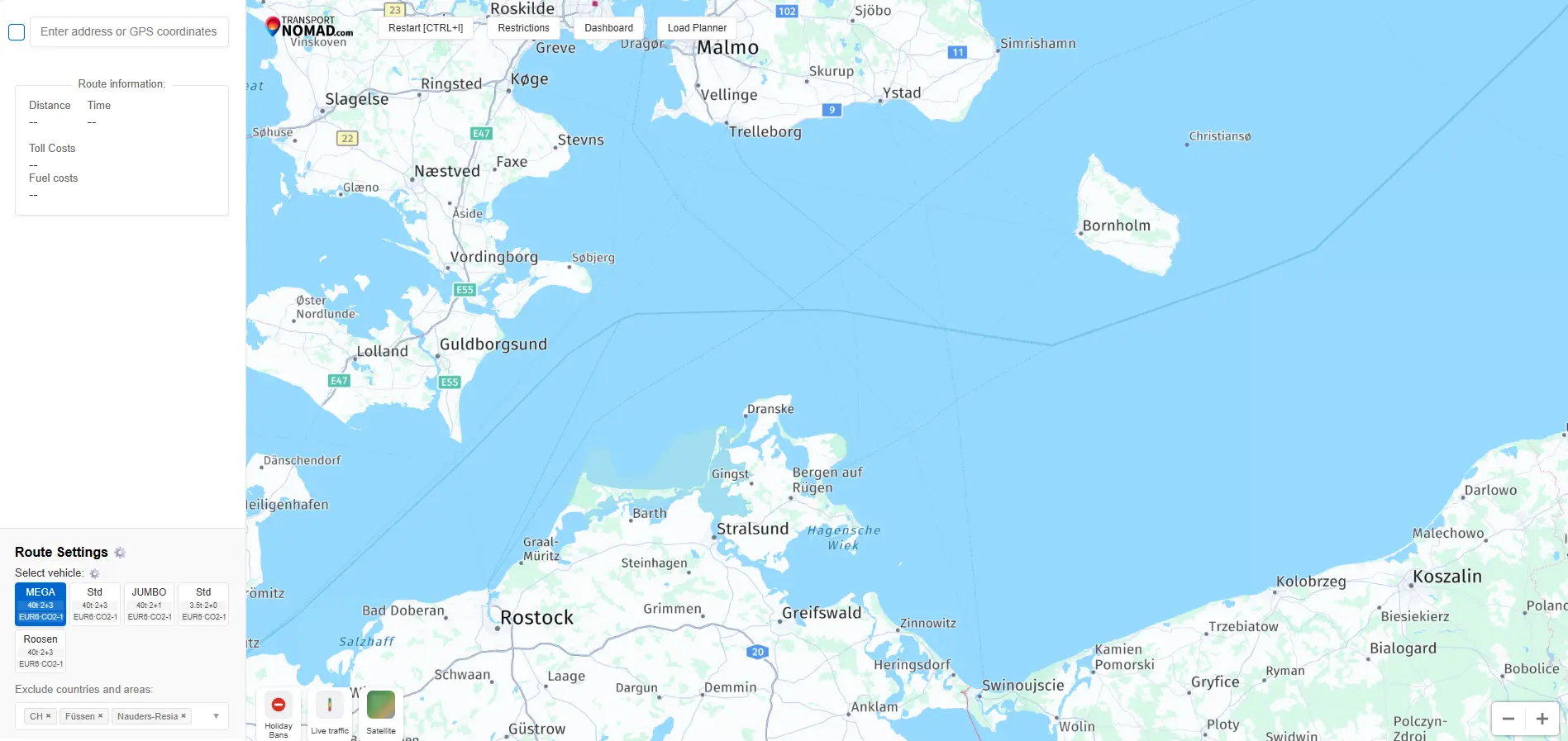
Then grab the route line, drag it over the ferry line you want, and release. The route recalculates through that crossing.
In the clip, a Leipzig to Jönköping route is dragged onto the Świnoujście–Ystad line: the crossing pins, the price field for that line appears in the cost panel, and the totals recalculate.
You do not need to hit the line pixel-perfectly. A drop within a couple of kilometres snaps to the crossing, and if the first attempt finds nothing, the planner automatically widens its search around your drop point. Dropping roughly on the line while zoomed out over the whole Baltic is enough.
What that pin actually is
The point you dropped becomes a special via: it pins the route to the water without becoming a stop. No address is attached and no stopover appears in the schedule; the route simply must pass through your chosen crossing.
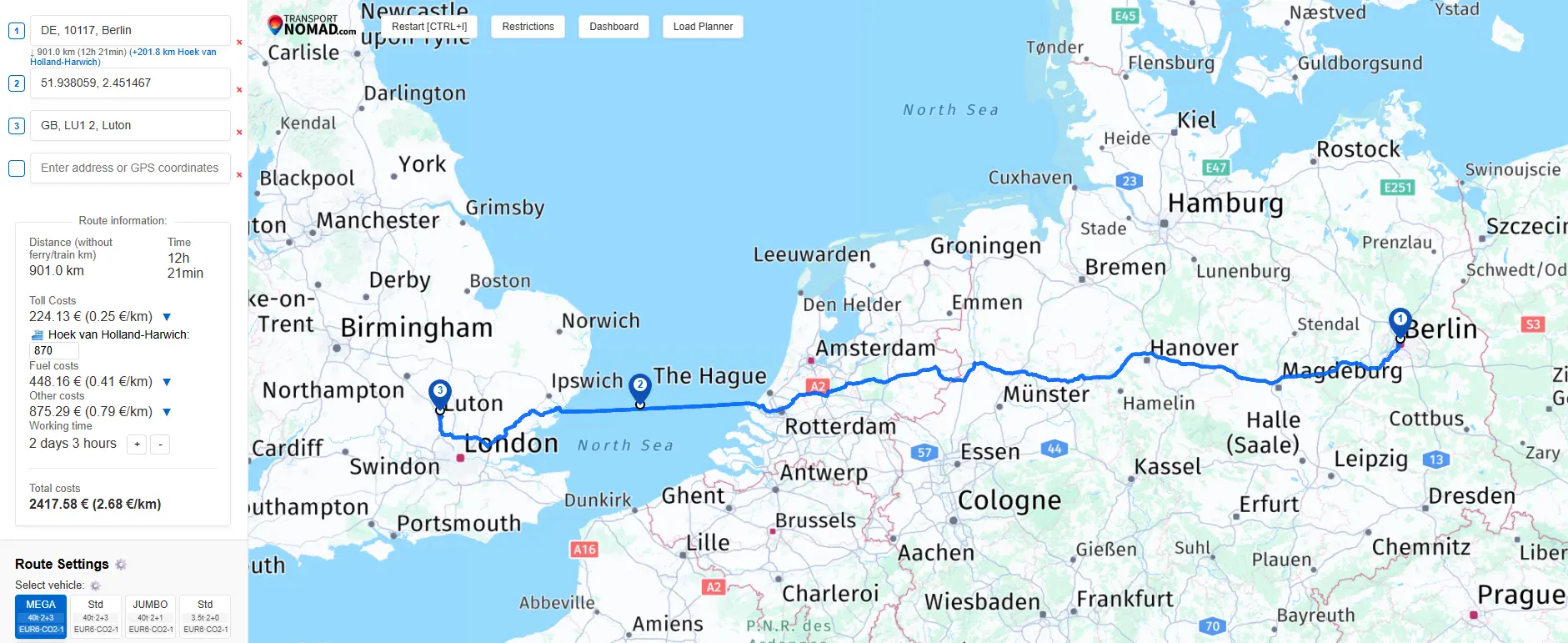
In the waypoint list it shows up as a coordinates entry: in the screenshot above, the pin is point 2 of a Berlin to Luton run forced through Hoek van Holland–Harwich, plain coordinates between two addressed stops. From there:
- Switch ferries: drag the pin (or the route again) onto a different line. Moving it from water to water re-pins the route to the new crossing.
- Let the router choose again: remove the via with its delete button, and the route falls back to the default crossing.
Missed drops do not break the route
Two things can go wrong when dropping a point near a coastline, and both are handled:
- You drop on land near a road or an address: the point becomes a normal via with a proper address label, exactly as if you had dragged the route on any road.
- You drop in open water with no ferry line in reach: the planner removes the pin and recalculates without it.
The worst case is that you are back where you started, never a route that refuses to calculate.
Your rate rides along
A crossing forced this way is detected like any other crossing on the route: Transport Nomad names it and asks once for the price you actually pay, then remembers it for every future route over the same line (how this works is covered in the ferry and tunnel crossings guide).
This is where choosing the exact line turns into money. Ferry rates are negotiated per line and per carrier; the price you hold on Travemünde–Trelleborg has nothing to do with what you would pay Rødby-side. When the plan runs over the crossing you actually booked, the total cost is built from your rate on that line, the driving kilometres are split correctly around the sea leg, and no fuel or toll is counted for the hours on deck.
Avoiding all ferries is a different job
If the goal is no ferries at all, do not drag anything: flip the Ferries switch in the Avoid grid and the route stays on bridges and roads where possible. Dragging is for the opposite intent, when you want a ferry, just a specific one.
The choice survives sharing
Route links preserve forced crossings. Send the plan to a colleague or paste it into the order notes, and the route opens with the same ferry pinned, not with the router's second opinion.
Booking first, route second
In practice the ferry is often decided before the route is: deck space is confirmed, the departure is fixed, and the plan has to match. Dragging the route onto the booked line takes a second, and everything downstream, timing, kilometres, cost to the cent, follows the crossing your truck will actually take.
See it on your own route. Start the free 14-day trial, drag the route onto the line you booked, and send the plan with the crossing already priced at your rate.